
iPhone Hanging Problem Solution 2026
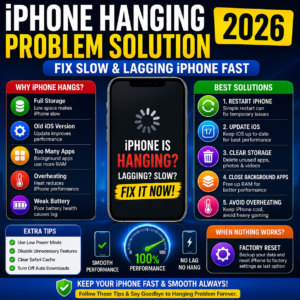
Table of Contents
- iPhone Hanging Problem
- Why iPhone Becomes Slow
- Common Reasons Behind Hanging
- Best Solutions to Fix iPhone Lag
- Storage Optimization Tips
- Overheating & Background Apps
- Factory Reset Solution
- Final Verdict
iPhone Hanging Problem
अगर आपका iPhone बार-बार hang हो रहा है, apps slow चल रही हैं या phone freeze हो जाता है, तो यह article आपके लिए बहुत helpful है। इस guide में हम आसान तरीके बताएंगे जिनसे आप iPhone Hanging Problem को जल्दी fix कर सकते हैं।
Apple iPhones generally smooth performance देते हैं, लेकिन storage, overheating और outdated software जैसी problems performance को slow कर सकती हैं।
Why iPhone Becomes Slow?
Main Reasons
- Full Storage
- Old iOS Version
- Too Many Background Apps
- Overheating
- Weak Battery Health
- Heavy Gaming Usage
इसी वजह से लोग अक्सर iPhone Hanging Problem search करते हैं।
Common Signs of iPhone Hanging Problem
1. Apps Freeze होना
Apps open होने में ज्यादा time लेती हैं।
2. Touch Delay
Screen touch response slow हो जाता है।
3. Phone Restart होना
कभी-कभी phone automatically restart हो सकता है।
4. Heating Issue
Overheating performance को slow कर सकती है।
Best Solutions for iPhone Hanging Problem
1. Restart Your iPhone
Simple restart temporary lag issues fix कर सकता है।
Restart करने का तरीका
- Power Button दबाएं
- Slide to Power Off
- Phone दोबारा ON करें
2. Update iOS
Old software bugs hanging issue पैदा कर सकते हैं।
Update करने का तरीका
Settings → General → Software Update
Latest iOS performance improvements ला सकता है।
3. Clear Storage
अगर storage full है, तो phone slow हो सकता है।
क्या Delete करें?
- Unused Apps
- Large Videos
- Duplicate Photos
- Cache Files
Background Apps बंद करें
Steps
- Swipe Up करें
- Background Apps Close करें
- Unnecessary Apps Remove करें
यह RAM usage कम करता है और iPhone Hanging Problem reduce कर सकता है।
iPhone Overheating Problem Fix
Avoid These Things
- Charging while gaming
- Direct sunlight
- Heavy multitasking
- Fake chargers
Best Tip
Phone को cool environment में रखें।
Battery Health Check करें
Weak battery performance भी lag issue पैदा कर सकती है।
Battery Health कैसे देखें?
Settings → Battery → Battery Health & Charging
अगर battery health बहुत कम है, तो replacement helpful हो सकता है।
Storage Optimization Tips
| Storage Usage | Performance |
|---|---|
| 90% Full | Slow |
| 70% Full | Normal |
| Below 50% | Best Performance |
Factory Reset Solution
अगर सभी solutions काम नहीं करते, तो factory reset helpful हो सकता है।
Important
Factory reset से पहले backup जरूर लें।
Reset Steps
Settings → General → Transfer or Reset iPhone → Erase All Content
Extra Tips to Prevent Hanging
Important Tips
- Weekly Restart करें
- Unused Widgets हटाएं
- Auto Downloads OFF करें
- Safari Cache Clear करें
- iPhone Battery Health Tips
- iPhone Overheating Problem Fix
- Best iPhone Tricks
Final Verdict
अगर आपका iPhone slow या lag कर रहा है, तो ऊपर बताए गए आसान solutions से आप iPhone Hanging Problem को काफी हद तक fix कर सकते हैं।
Regular updates, proper storage management और healthy battery habits आपके iPhone को लंबे समय तक smooth performance देने में मदद करेंगे।